
In This Article
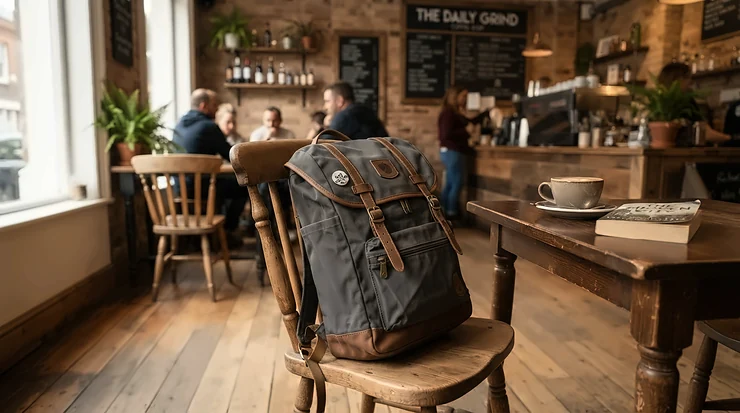
What is a laptop backpack? It’s a rucksack built around a dedicated, padded compartment that holds your computer separately from the rest of your kit, cushioning it from knocks while distributing the weight across both shoulders rather than one. Simple idea. Ridiculously easy to get wrong.
You’ve probably lived through the wrong version already — the strap that digs a groove into your collarbone by Thursday, the “padded” sleeve that’s really just a thin sheet of foam pretending to be protection, the zip that gives up on a rainy Tuesday in October. A genuinely good laptop backpack disappears. You stop noticing it’s there, which, honestly, is the whole point.
More of us are carrying one than ever. With more than a quarter of working adults in Great Britain now splitting their week between home and the office, according to the Office for National Statistics, the laptop backpack has quietly become one of the most-used pieces of kit in British working life — shuttled between kitchen tables, trains, and hot-desks two or three times a week.
This guide walks through seven real, currently available laptop backpacks spanning budget to premium, explains what actually matters when you’re choosing a backpack for laptop use (hint: it isn’t the pocket count), and digs into sizing, ergonomics, and protection in enough depth that you won’t need to open another tab. Everything here is drawn from genuine product specifications and aggregated customer review sentiment — no invented anecdotes, no fabricated five-star quotes, just honest analysis of what these bags actually deliver.
Quick Comparison Table
| Product | Best For | Capacity | Laptop Size | Price Range |
|---|---|---|---|---|
| Amazon Basics 15.6″ Laptop Backpack | Tightest budgets | ~22L | Up to 15.6″ | Under £30 |
| MATEIN Travel Laptop Backpack | Budget travel/commute | 30L | Up to 17″ | £30-£45 range |
| SwissGear 1900 ScanSmart | Frequent flyers | 31L | Up to 17″ | £45-£65 range |
| Samsonite GuardIT 2.0 | Polished office look | 22.5-27.5L | Up to 17.3″ | £55-£85 range |
| Osprey Nebula 32 | All-day comfort | 32L | Up to 17″ | £110-£140 range |
| Timbuk2 Authority Deluxe | Daily commuting | 20L | Up to 17″ | £120-£150 range |
| Peak Design Everyday Backpack V2 | Tech-heavy creatives | 20L/30L | Up to 16″ | £190-£250 range |
Looking at the spread above, there’s a real jump in build quality and comfort once you cross into the mid-range tier — the Osprey Nebula 32 and Samsonite GuardIT 2.0 both add proper back-panel engineering that budget bags simply can’t match. That said, the Amazon Basics 15.6″ Laptop Backpack and MATEIN Travel Laptop Backpack remain genuinely sensible choices if you’re only carrying a laptop and a notebook rather than a full working setup. The premium end, led by the Peak Design Everyday Backpack V2, is less about “more backpack” and more about modular organisation for people juggling cameras, cables and multiple devices alongside their laptop.
💬 Just one click — help others make better buying decisions too!😊
Top 7 Laptop Backpacks: Expert Analysis
Choosing a backpack for laptop use isn’t really about finding “the best” one in the abstract — it’s about matching build quality, capacity and comfort features to how you actually move through your week. Below are seven real, currently sold options across the budget-to-premium spectrum, each assessed on genuine specifications and aggregated review sentiment rather than marketing copy.
1. Amazon Basics 15.6-Inch Laptop Backpack — best for tightest budgets
If you need a functional, no-drama backpack for laptop duty and don’t want to spend much thinking about it, this is where most people land first. The dedicated compartment fits up to a 15.6-inch laptop, with a separate “Tech Spot” sleeve for a tablet sitting alongside it.
On paper, this is a straightforward multi-pocket rucksack: a padded shoulder-strap system, a breathable back panel, and enough internal organisation (pen loops, a zipped mesh pocket, a key fob hook) to keep small items from disappearing into the abyss of the main compartment. What the spec sheet won’t tell you is how the fabric behaves under repeated use — reviewers consistently describe it as comfortable and well-made for the price, with several specifically noting it’s a strong value pick for students carrying larger laptops day to day.
This is the pick for students, occasional commuters, or anyone buying a genuine backup bag rather than a daily workhorse — it’s not designed to survive a decade of five-days-a-week commuting, and shouldn’t be judged against bags costing four times as much.
A recurring theme in aggregated feedback is that stitching and zip pulls, while adequate, are the first things to show wear under heavy daily loading — a fair trade-off at this price point.
Pros:
- ✅ Genuinely low entry price for a padded laptop compartment
- ✅ Tablet sleeve included alongside the main laptop pocket
- ✅ Comfortable padded straps for the price bracket
Cons:
- ❌ Thinner fabric shows wear faster under daily heavy use
- ❌ Laptop sleeve lacks a raised base to absorb drops
Sitting comfortably under £30, this is hard to beat as a low-risk starter buy — just don’t expect five-year durability from a one-year price tag.

2. MATEIN Travel Laptop Backpack — best value all-rounder for travel and commuting
The MATEIN Travel Laptop Backpack has become something of a sleeper hit among budget-conscious commuters, and the 30-litre capacity paired with a dedicated 17-inch laptop compartment explains why — it’s genuinely sized for a working day, not just a laptop and a charger.
The standout functional detail is the TSA-friendly compartment that opens flat between 90 and 180 degrees, plus a rear trolley sleeve that slides over a wheeled suitcase handle. Based on the spec comparison with other bags in this price bracket, that trolley-sleeve detail alone puts it ahead of most sub-£50 rivals, which tend to skip travel-specific features entirely.
Reviewers who’ve tested it extensively note it holds its shape well when loaded and includes a hidden anti-theft back pocket, though several flag that the water-resistant coating is best treated as splash protection rather than genuine downpour defence — a fair distinction most buyers overlook until it’s raining sideways at the bus stop.
This is the right call for students, early-career commuters, and anyone who travels a few times a year but doesn’t want a dedicated separate travel bag.
Pros:
- ✅ 30L capacity handles a full working day plus extras
- ✅ TSA-style lay-flat compartment speeds up security checks
- ✅ Trolley sleeve slides over suitcase handles for travel
Cons:
- ❌ Water resistance is light-rain only, not storm-proof
- ❌ Main compartment lacks internal structure when half-empty
In the £30-£45 range, the value proposition here is hard to argue with — few bags at this price combine travel features with everyday usability this well.
3. SwissGear 1900 ScanSmart — best for frequent airport security checks
Built from 1200D ballistic polyester, the SwissGear 1900 ScanSmart was designed around one specific pain point: airport security queues. The laptop compartment unzips completely flat, letting you scan the bag with the laptop still inside on airlines and airports that allow it — a genuinely useful feature that most everyday backpacks simply don’t bother with.
At 31 litres with a 17-inch laptop capacity and a separate padded tablet sleeve, this is a genuinely substantial bag, reinforced with an airflow-ventilated back panel and an RFID-protected organiser compartment for cards and travel documents. What most buyers overlook about this model is that the internal dividers, while great for organisation, do eat into usable main-compartment volume — pack around them rather than through them.
Aggregated review sentiment is broadly positive on durability, with long-term owners reporting years of heavy use without structural failure, though a recurring complaint concerns accessory quality (zip pulls and included locks) not quite matching the strength of the main fabric and stitching.
This suits frequent flyers, business travellers, and anyone who wants one bag that works equally well for the office and the departure lounge.
Pros:
- ✅ Lay-flat compartment genuinely speeds up airport security
- ✅ RFID-protected organiser panel for cards and documents
- ✅ Durable 1200D ballistic polyester construction
Cons:
- ❌ Internal dividers reduce usable packing volume
- ❌ Included accessories feel less robust than the shell
In the £45-£65 range, this remains one of the most travel-optimised backpacks for laptop and document carrying at a sensible price.
4. Samsonite GuardIT 2.0 — best polished, professional look
Samsonite built its reputation on luggage, and that engineering pedigree shows through in the GuardIT 2.0 — a slim-profile backpack that reads as genuinely professional rather than “backpack pretending to be professional,” which is a distinction that matters more than it sounds.
Available across three sizes tuned to 14.1-inch, 15.6-inch, and 17.3-inch laptops, the largest variant offers roughly 27.5 litres, with a lined laptop compartment, a front organiser panel, and a smart sleeve that slides over a trolley handle. Here’s what the spec sheet won’t fully convey: the 100% polyester fabric has a notably premium hand-feel and strong tear resistance compared with the thinner materials found on budget alternatives — reviewers consistently rate the build quality as excellent for the price bracket.
A passport-sized front pocket, praised by long-term travellers for keeping documents instantly accessible at check-in, is a small but genuinely thoughtful touch that photographs badly in listings but earns its keep in daily use.
This is the pick for office-based professionals who need a laptop backpack that won’t look out of place walking into a client meeting, and for travellers who want a slim, carry-on-friendly profile.
Pros:
- ✅ Slim, professional profile suits office and client settings
- ✅ Available in three sizes matched to specific laptop widths
- ✅ Dedicated passport pocket for fast check-in access
Cons:
- ❌ Smaller sizes trade capacity for the slim silhouette
- ❌ Limited colour options compared with lifestyle brands
Sitting in the £55-£85 range depending on size, this offers a meaningfully more premium feel than budget rivals without tipping into premium pricing.
5. Osprey Nebula 32 — best all-day ergonomic comfort
Osprey built its name on technical hiking packs, and the Nebula 32 brings that harness engineering directly into commuter territory — which is precisely why it dominates the ergonomics conversation among laptop backpacks in this price range.
The defining feature is a laptop and tablet sleeve that unzips completely open, clamshell-style, reminiscent of a proper travel pack rather than a simple internal pocket. Both sleeves are raised off the base of the bag, meaning a hard knock to the bottom of the backpack is far less likely to transmit straight into the corner of your laptop — a detail most competitors at this price simply omit. Paired with a ventilated, breathable back panel and an adjustable sternum strap, the difference in comfort over a full commuting day is immediately noticeable rather than a marketing footnote.
Aggregated review data is strikingly consistent here: the Nebula holds an average rating above 4.7 stars across hundreds of verified purchases, with buyers repeatedly highlighting the organisation depth and all-day carry comfort as the standout reasons for choosing it over rival commuter packs.
This is the strongest option for anyone whose day involves genuine physical movement — cycling to a station, walking across a campus, standing on a packed train — rather than a five-minute walk from car to desk.
Pros:
- ✅ Clamshell laptop sleeve raised off the base for protection
- ✅ Ventilated back panel noticeably reduces sweat build-up
- ✅ Made from 100% recycled, bluesign-approved fabric
Cons:
- ❌ 32L capacity can feel large for minimalist daily carry
- ❌ Removable hip belt adds bulk some commuters won’t use
At around £110-£140, the Nebula asks a fair premium for genuinely superior ergonomics — and for anyone carrying weight daily, that’s money well spent.

6. Timbuk2 Authority Deluxe — best for daily commuting comfort
The Timbuk2 Authority Deluxe has built a loyal following among daily commuters largely because it solves a problem most bags ignore: staying slim and manageable on a crowded train while still holding a full day’s kit.
At roughly 20 litres across four distinct compartments, it includes a padded laptop sleeve rated for devices up to 17 inches, a secondary sleeve for a second laptop or tablet, and a rear-access laptop compartment designed to speed through airport-style security checks. Based on the spec comparison with bulkier rivals, the Authority Deluxe stays under five inches thick when empty and rarely exceeds ten to twelve inches even fully loaded — genuinely slim enough to avoid annoying your fellow passengers on a packed carriage.
Constructed from 100% recycled nylon and backed by a lifetime warranty, this is a bag built around longevity rather than novelty. Reviewers consistently praise the compression straps for letting the bag cinch down when lightly loaded, and the built-in key hook is one of those small features that, once you’ve used it, you’ll miss on every other bag.
This suits urban commuters and remote-hybrid professionals who need one dependable bag for years, not months.
Pros:
- ✅ Slim profile stays manageable on crowded commutes
- ✅ Lifetime warranty backs genuinely durable construction
- ✅ Rear-access laptop compartment speeds security checks
Cons:
- ❌ 20L capacity limits it for overnight or weekend trips
- ❌ Water bottle pocket is narrower than most rivals’
In the £120-£150 range, this remains one of the most consistently well-reviewed everyday laptop backpack options for professional commuters.
7. Peak Design Everyday Backpack V2 — best modular organisation for tech-heavy users
If your bag needs to carry a laptop alongside a camera, cables, and assorted tech accessories rather than just a laptop and a notebook, the Peak Design Everyday Backpack V2 is built specifically for that problem — and it shows in every design decision.
Available in 20L and 30L capacities, the laptop sleeve uses an adjustable U-shaped internal sling that suspends the device rather than letting it rest directly on the base of the bag, which is a genuinely clever piece of engineering most competitors haven’t matched. The 400D weatherproof nylon shell, origami-style FlexFold dividers, and lockable UltraZips (which loop through small security tabs) make this feel less like a backpack and more like a modular carrying system that happens to be backpack-shaped.
What most buyers overlook is that this level of engineering comes with genuine weight — at roughly 1.7-2kg empty, it’s noticeably heavier than simpler commuter bags before you’ve even packed it. Reviewers who’ve tested it extensively describe the trade-off as worthwhile specifically for photographers, videographers and creative professionals juggling multiple devices; those carrying just a laptop may find the complexity unnecessary.
This is the pick for creative professionals, content creators, and tech enthusiasts who genuinely need the modularity rather than simply liking the aesthetic.
Pros:
- ✅ Suspended laptop sling protects against base impacts
- ✅ Fully modular FlexFold divider system for mixed gear
- ✅ Lockable zippers add genuine security for valuables
Cons:
- ❌ Noticeably heavier empty than simpler commuter backpacks
- ❌ Premium price puts it out of reach for casual buyers
At around £190-£250 depending on size and colourway, this is a considered investment rather than an impulse buy — but for the right user, it earns every penny.
| Product | Standout Strength | Main Trade-off | Best For |
|---|---|---|---|
| Amazon Basics 15.6″ Laptop Backpack | Lowest entry price | Durability under daily heavy use | Occasional/backup use |
| MATEIN Travel Laptop Backpack | Travel features at budget price | Light rain resistance only | Students, occasional travel |
| SwissGear 1900 ScanSmart | Airport-friendly lay-flat design | Dividers reduce packing space | Frequent flyers |
| Samsonite GuardIT 2.0 | Professional, slim aesthetic | Smaller sizes limit capacity | Office professionals |
| Osprey Nebula 32 | Ergonomic comfort and ventilation | Larger than minimalist users need | Active daily commuters |
| Timbuk2 Authority Deluxe | Slim commuter profile, lifetime warranty | Limited weekend-trip capacity | Daily urban commuters |
| Peak Design Everyday Backpack V2 | Modular tech organisation | Weight and price | Creative/tech professionals |
The pattern across this table is fairly clear: as price rises, you’re mostly paying for ergonomic engineering and organisational flexibility rather than raw capacity — the Amazon Basics 15.6″ Laptop Backpack and Peak Design Everyday Backpack V2 hold similar amounts of “stuff,” but the experience of carrying each one for eight hours is worlds apart. If budget genuinely isn’t a constraint, the jump to the Osprey Nebula 32 or Timbuk2 Authority Deluxe tier delivers the most noticeable quality-of-life improvement per pound spent.
Setting Up and Maintaining Your Laptop Backpack
Getting a new laptop backpack right isn’t just about the unboxing moment — the first month of use sets the pattern for how well it protects your gear and how long it lasts.
Start by adjusting the shoulder straps before you load anything in. Most people wear their straps too loose, letting the bag sag away from the back and pull on the shoulders rather than sitting flush against it. A properly adjusted backpack should sit high, with the bottom resting just above the hips, not swinging around the lower back.
Pack heavy items — the laptop, chargers, any books — closest to your back, not in outer pockets. This keeps the centre of gravity close to your spine rather than pulling you backwards, which matters enormously over an eight-hour carrying day. Use the compression straps, if your bag has them, even when it’s fully loaded; they stop contents shifting and reduce strain from a wobbling load.
A common first-30-days mistake is overloading brand-new zips before the stitching has “settled” — cramming a bag to its absolute limit on day one puts unnecessary stress on seams that haven’t been broken in. Build up gradually instead.
For ongoing maintenance, wipe down the exterior fabric monthly with a damp cloth, and check zip pulls for fraying every few months — a habit that catches small problems before they become bag-ending failures.

Real-World Scenarios: Matching a Laptop Backpack to Your Daily Life
Specs only tell half the story. Here’s how three common UK lifestyles map onto the products above.
If you’re a university student commuting 20 minutes by bus with a 15-inch laptop, a few textbooks, and a water bottle, the Amazon Basics 15.6-Inch Laptop Backpack or MATEIN Travel Laptop Backpack covers your needs without overspending on features you won’t use daily — save the budget for textbooks instead.
If you’re a hybrid office worker doing three train commutes a week with a 14-inch work laptop, a change of shoes, and a packed lunch, the Timbuk2 Authority Deluxe or Samsonite GuardIT 2.0 strikes the right balance of professional look, slim commuter profile, and genuine daily-use durability.
If you’re a freelance photographer or content creator who cycles between coffee shops, client shoots, and the occasional flight, carrying a laptop alongside a camera and multiple cables, the Peak Design Everyday Backpack V2 or Osprey Nebula 32 justifies its higher price through modular organisation and all-day carrying comfort that a simpler bag simply can’t provide.
Laptop Backpack Problems (And How to Solve Them)
Even a well-chosen laptop backpack runs into recurring frustrations — here’s how to fix the most common ones.
Problem: shoulder pain after a long commute. This is almost always a fit issue rather than a weight issue. Tighten the shoulder straps so the bag sits high and close to your back, and use a sternum strap if one’s fitted — it redistributes load across the chest rather than letting both straps pull straight down on the shoulders.
Problem: laptop feels loose inside the compartment. A laptop that shifts around inside its sleeve is more vulnerable to impact damage, not less. Look for bags like the Osprey Nebula 32 or Peak Design Everyday Backpack V2, which use a raised or suspended sleeve base rather than letting the device rest flat against the bottom of the bag.
Problem: everything ends up in one giant tangled pile. This points to a bag with too little internal structure. The SwissGear 1900 ScanSmart and Samsonite GuardIT 2.0 both add dedicated organiser panels specifically to solve this.
Problem: the bag soaks through in rain. Water-resistant coatings degrade over time and were never designed for sustained downpours in the first place. A packable rain cover is a cheap, effective fix for any bag not explicitly rated fully waterproof.
Problem: zips failing after a year or two of heavy use. Check zip pulls periodically, avoid forcing an overstuffed compartment shut, and favour brands with documented warranty support, such as Timbuk2‘s lifetime warranty or Osprey‘s repair-for-life policy.
How to Choose a Laptop Backpack: 7 Expert Criteria
Choosing the right laptop backpack comes down to seven practical factors, roughly in order of importance:
- Laptop compartment fit — measure your actual laptop (not just the advertised screen size), since some 15-inch laptops are physically larger than others.
- Padding and suspension — a raised or suspended sleeve base protects better against drops than a flat internal pocket.
- Back panel and strap ergonomics — padded, breathable, adjustable straps matter more over an eight-hour day than any pocket count.
- Capacity matched to your actual load — buying more litres than you need adds unnecessary bulk and weight.
- Material and water resistance — check whether “water-resistant” means light drizzle protection or genuine downpour defence.
- Organisation and access — TSA-friendly lay-flat compartments genuinely speed up airport security if you travel often.
- Warranty and brand reputation — a longer warranty is usually a reliable signal of how confident a brand is in its own stitching.
Laptop Backpack Sizes Explained
Laptop backpack sizes are usually described two ways: the laptop size the compartment fits, and the overall litre capacity of the bag. These aren’t the same thing, and conflating them is one of the most common buying mistakes.
Laptop compartments are typically sized for 13-14 inch, 15-15.6 inch, or 17-17.3 inch devices, referring to screen diagonal — but as the Wikipedia entry on laptops notes, actual chassis dimensions vary meaningfully between manufacturers even at the same screen size, which is exactly why a “15.6-inch compatible” sleeve can feel snug with one 15.6-inch gaming laptop and loose with another.
Overall capacity, measured in litres, tells you how much else the bag can hold. As a rough guide: under 20L suits a laptop-only minimalist carry; 20-30L covers a full working day with lunch, a water bottle and a change of layer; 30L-plus edges into overnight-trip territory. Match the litre count to your actual daily load rather than buying the largest bag available “just in case” — an oversized, half-empty backpack carries less comfortably than a properly sized one, since unsecured contents shift and pull unpredictably at your shoulders.
Backpack Ergonomics: Why Fit Matters More Than Feature Lists
Backpack ergonomics is the single most under-discussed factor in laptop backpack buying, and it’s worth understanding why it matters so much.
The Health and Safety Executive’s manual handling guidance notes that how a load is carried — not just how heavy it is — plays a major role in strain risk, recommending that loads be held close to the body rather than hanging away from it. A backpack that sags or rides low pulls weight backwards and down, forcing your shoulders and lower back to compensate throughout the day.
NHS Fife’s posture guidance similarly points out that prolonged poor posture puts unnecessary strain on joints and ligaments, with effects that build up over time rather than appearing all at once — which is exactly why an ill-fitting backpack can feel “fine” for the first few weeks before shoulder or neck discomfort creeps in.
Practically, this means a ventilated, contoured back panel (like the Osprey Nebula 32‘s AirScape system) and a properly adjusted sternum strap aren’t luxury features — they’re the difference between a bag that disappears on your back and one that leaves you rubbing your shoulders by Wednesday afternoon.
Laptop Protection Explained: What Actually Keeps Your Laptop Safe
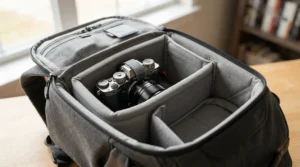
A padded laptop compartment is the headline feature on every laptop backpack listing, but not all padding is created equal, and understanding the difference protects your investment.
The most basic protection is a lined sleeve — a thin layer of foam between two fabric panels. It cushions against light bumps but does little against a genuine drop. Better designs, like the Timbuk2 Authority Deluxe‘s dedicated laptop pocket, add thicker, denser foam and position the compartment away from the exterior walls of the bag, so an external knock doesn’t transmit directly to the screen.
The strongest protection comes from suspended or raised-base designs, seen in the Osprey Nebula 32 and Peak Design Everyday Backpack V2. By lifting the laptop off the bottom seam of the bag, these designs specifically address the most common real-world drop scenario: setting the bag down (or dropping it) corner-first onto a hard floor.
Water resistance is the other half of protection. A durable water-repellent (DWR) coating sheds light rain, but heavy or sustained rain will eventually soak through most fabrics — a rain cover remains the only reliable answer for genuinely wet commutes, whatever the listing implies.
Everyday Laptop Backpack vs Travel Backpack: What’s the Real Difference
An everyday laptop backpack and a travel backpack solve overlapping but genuinely different problems, and picking the wrong category leads to real frustration.
| Factor | Everyday Laptop Backpack | Travel Backpack |
|---|---|---|
| Best For | Daily commute, office, campus | Flights, multi-day trips |
| Capacity | 15-25L typical | 30L-45L+ typical |
| Key Feature | Slim profile, quick access | TSA-friendly, packing structure |
| Example | Timbuk2 Authority Deluxe | SwissGear 1900 ScanSmart |
An everyday laptop backpack, such as the Timbuk2 Authority Deluxe, prioritises a slim profile and fast access to a laptop and a handful of daily essentials — it’s optimised for getting on and off crowded transport without becoming an obstacle. A travel-oriented pack like the SwissGear 1900 ScanSmart trades some of that slimness for genuine packing structure: lay-flat security compartments, larger capacity, and features built specifically around airport logistics. Buying a travel-sized backpack for a daily desk commute usually just means carrying unnecessary bulk and weight five days a week.
Common Mistakes When Buying a Laptop Backpack
The most frequent mistake is buying based on screen size alone without checking actual laptop dimensions — a “15.6-inch compatible” sleeve can still be too tight for a thick 15.6-inch gaming laptop.
A close second is prioritising pocket count over back-panel comfort. A bag with twenty pockets and no padding will feel worse after four hours than a simple bag with proper ergonomic engineering. Buyers also frequently overestimate how much capacity they need, ending up with an oversized bag that carries awkwardly when half-empty.
Finally, many buyers skip checking the warranty entirely — a genuinely telling signal, since brands like Osprey and Timbuk2 back their bags with lifetime coverage precisely because their failure rates are low enough to make that commercially viable.
Long-Term Cost and Maintenance: What Ownership Really Costs
A cheaper backpack isn’t automatically the better-value choice once you factor in replacement cycles.
| Price Tier | Typical Lifespan | Cost-Per-Year Estimate | Example |
|---|---|---|---|
| Budget (under £30) | 1-2 years heavy use | Higher over time | Amazon Basics 15.6″ Laptop Backpack |
| Mid-range (£45-£90) | 3-5 years | Moderate | Samsonite GuardIT 2.0 |
| Premium (£110+) | 5-10+ years, often warrantied | Lowest long-term | Timbuk2 Authority Deluxe |
If a budget backpack needs replacing every 18 months while a premium, warrantied bag lasts five to ten years, the real cost-per-year often favours the pricier option — especially with brands like Timbuk2 and Osprey, whose warranty and repair programmes extend usable life well beyond the sticker price alone. That said, for genuinely occasional use, a budget bag replaced infrequently can still work out cheaper overall — the maths depends entirely on how hard and how often you actually use it.

Frequently Asked Questions
❓ What size laptop backpack do I need?
❓ Are laptop backpacks better than laptop bags?
❓ How much should I spend on a laptop backpack?
❓ Can a laptop backpack go through airport security with the laptop inside?
❓ How do I stop my laptop backpack from hurting my shoulders?
Conclusion
A good laptop backpack is one you genuinely stop thinking about — no digging for the right pocket, no shoulder ache by lunchtime, no anxious check that the laptop survived the commute. Across the seven bags covered here, the right choice really does come down to your actual week: occasional student use points toward the Amazon Basics 15.6-Inch Laptop Backpack or MATEIN Travel Laptop Backpack, daily office commuting rewards the Timbuk2 Authority Deluxe or Samsonite GuardIT 2.0, and tech-heavy creative work justifies the Peak Design Everyday Backpack V2 or Osprey Nebula 32.
None of these are the “objectively best” backpack in isolation — they’re the best fit for a specific kind of week. Measure your actual laptop, be honest about your daily load, and prioritise back-panel comfort over pocket count, and you’ll land on a bag that earns its keep for years rather than months.
✨ Ready to stop settling for a backpack that just “does the job”? Check current prices on the picks above and find the one built for how you actually commute! 🎒
Recommended for You
- Laptop Bag With Wheels: 7 Best Picks To Save Your Back (2026)
- Leather Laptop Bag For Work: 7 Best Picks For UK Offices (2026)
- 7 Best Laptop Bags For Commuting In The UK (2026 Picks)
Disclaimer: This article contains affiliate links. As an Amazon Associate, I earn from qualifying purchases. If you purchase products through these links, we may earn a small commission at no additional cost to you.
✨ Found this helpful? Share it with your friends! 💬🤗
